Your server, your data
Files are stored on infrastructure you control, in the country you choose — not with a transfer service.
SealShare is file sharing software you install on your own server. Your company gets its own upload page to send files to customers and receive files from them — encrypted at rest, on your domain, without relying on an outside service.
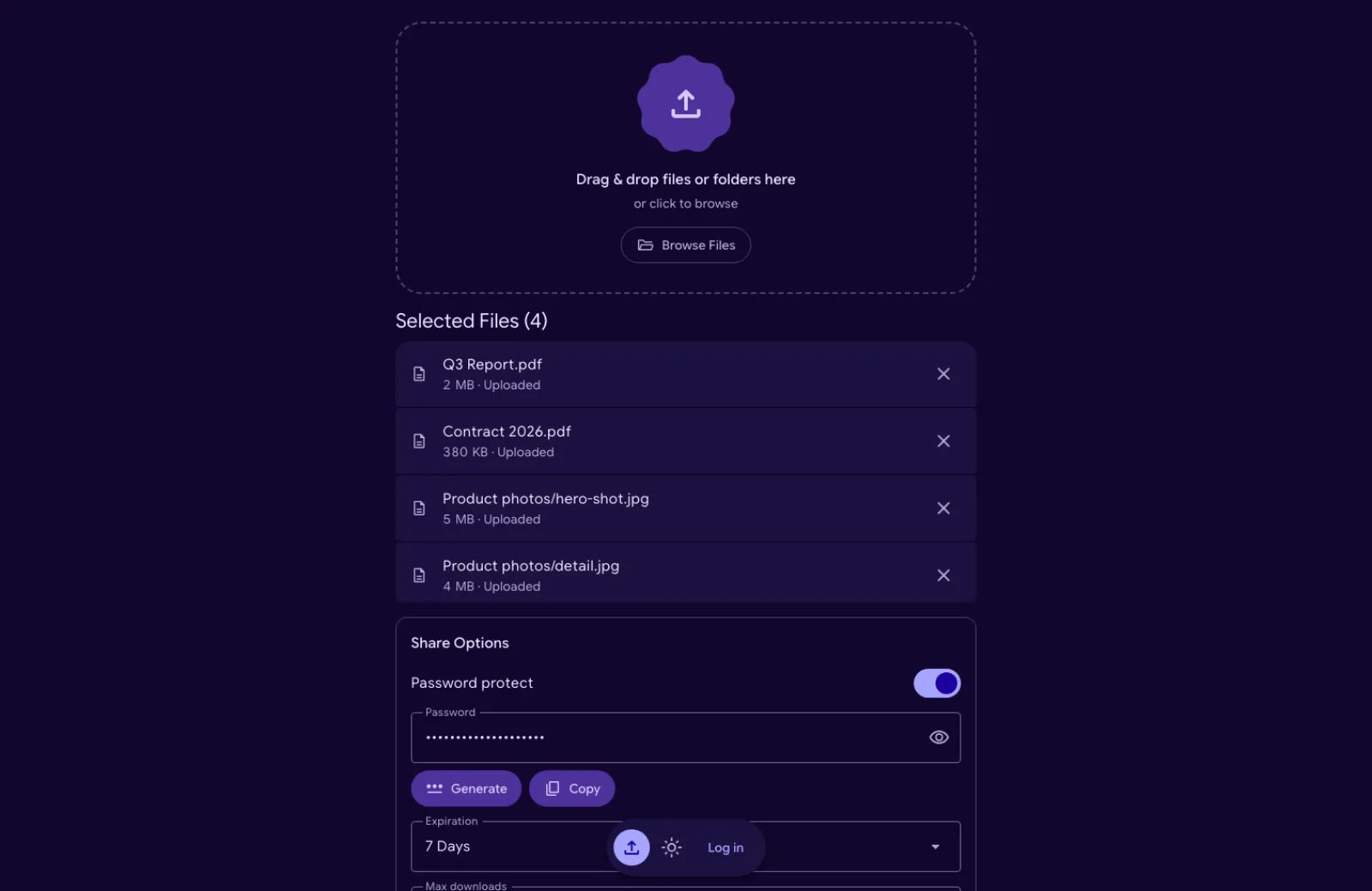
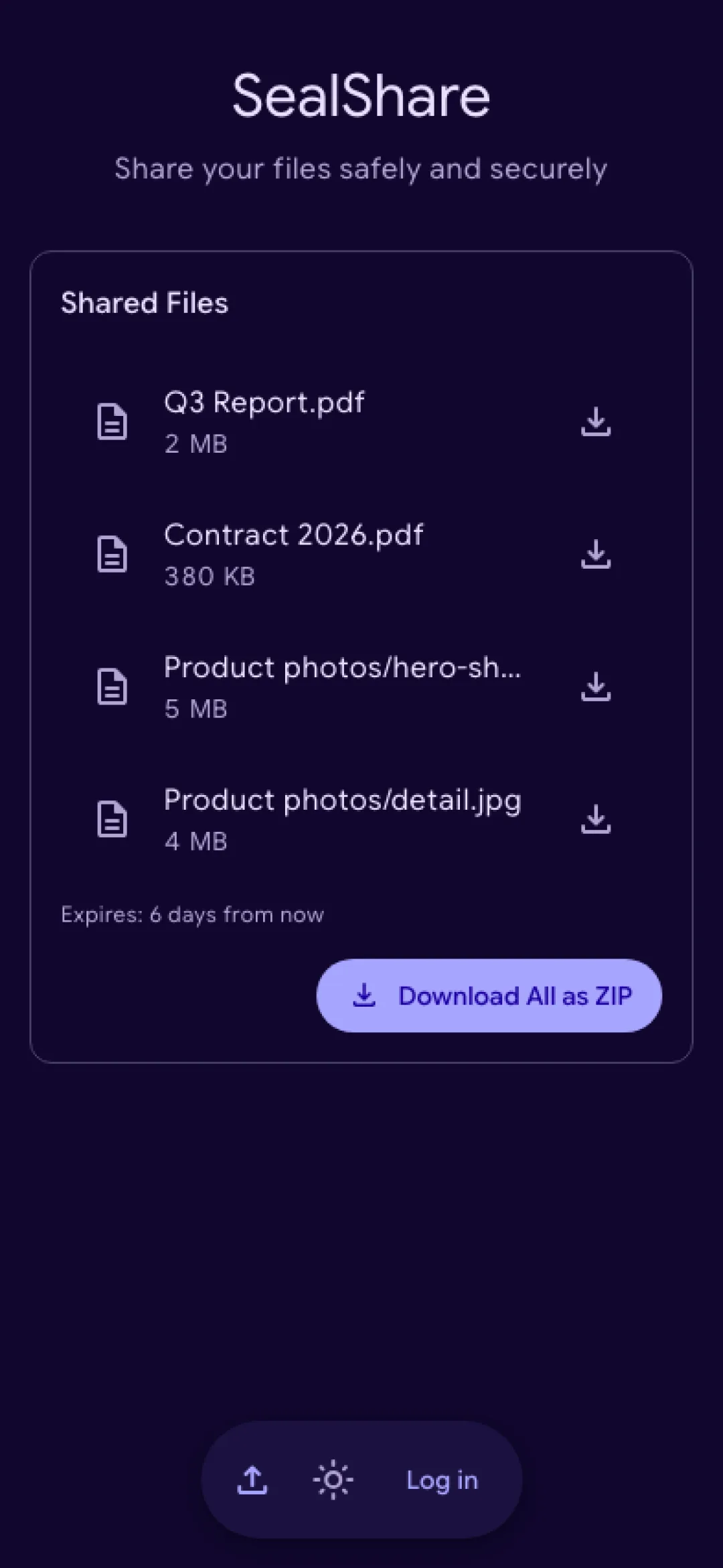
Transfer services are quick, but every file you exchange with a customer ends up on their servers, under their terms. SealShare is a simple setup for your own upload platform: a secure way to get data from customers and share data with them, entirely under your control.
Files are stored on infrastructure you control, in the country you choose — not with a transfer service.
Customers open a link and download. Nobody has to sign up anywhere.
Your domain, and your logo, title and description on the upload page.
Open source under the MIT licence. Use it for the whole company, without seats or subscriptions.
Three steps, for you and for the people you share with.
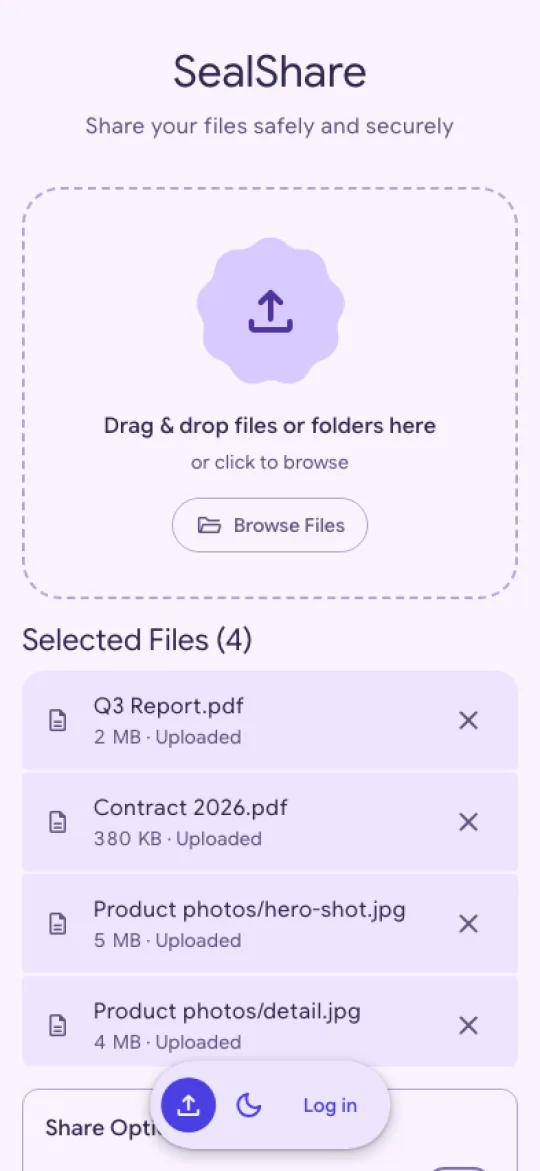
Drop files or whole folders. Add a password, an expiry and a download limit if you want — SealShare can generate the password for you.
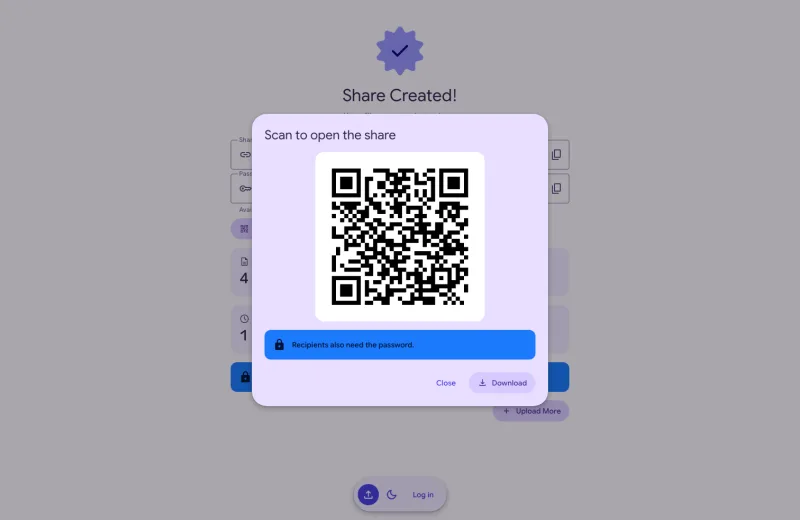
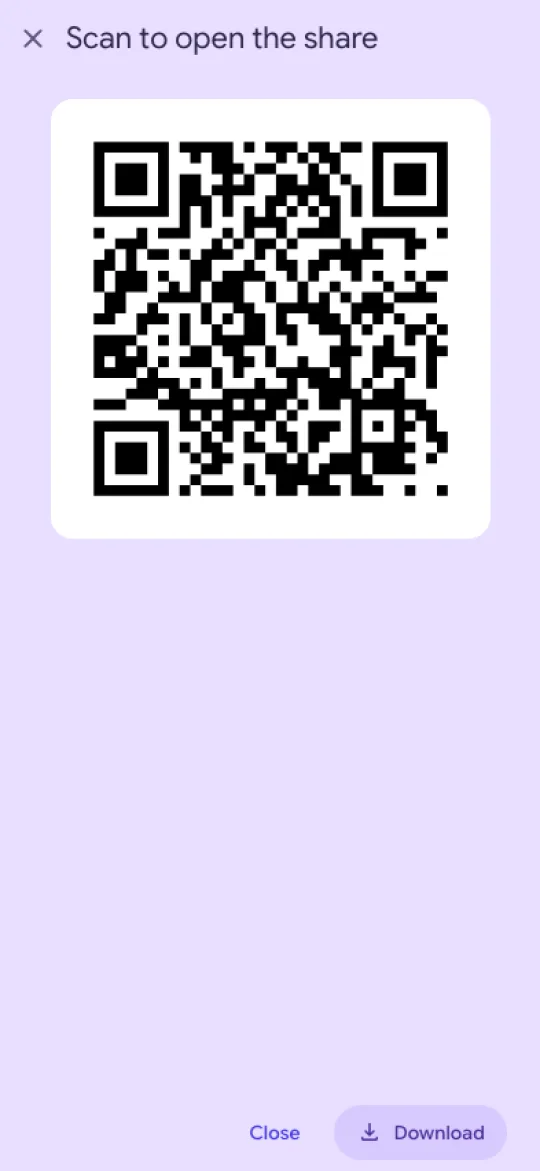
Copy the link, show it as a QR code, or send it from your phone's share sheet.
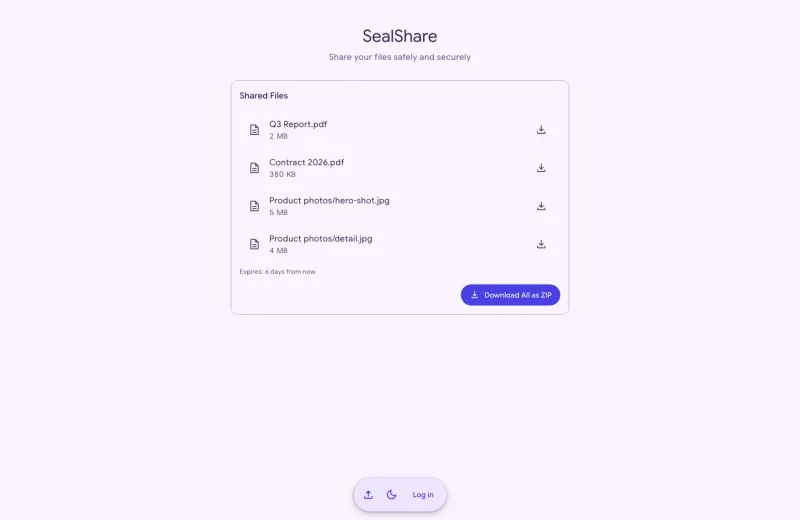
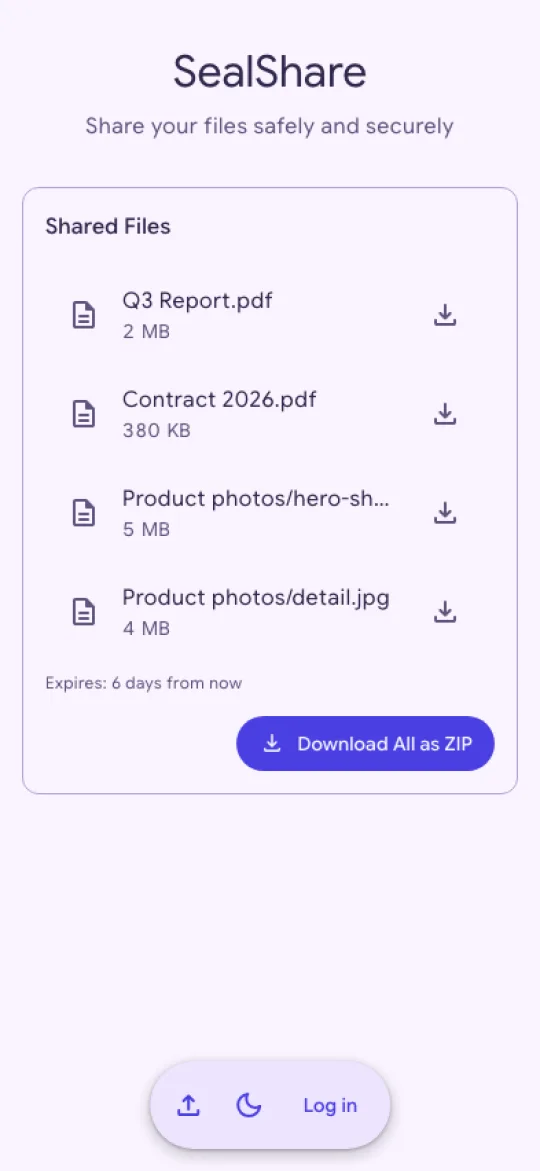
Your customer opens the link and downloads single files or everything as a ZIP. Expired shares delete themselves.
And nothing that turns it into a project: SealShare runs from a single container and is set up in a few minutes. It works on desktop and phone, in a Light, Dark or System theme, and in high contrast when your system asks for it.
Drag & drop or browse; folders keep their structure. Files are encrypted in the browser and sent in chunks, with progress per file and a failed chunk retried on its own.
Every upload gets its own random, hard-to-guess link.
Show the link as a QR code, save it as a PNG, or pass it to the phone's share sheet.
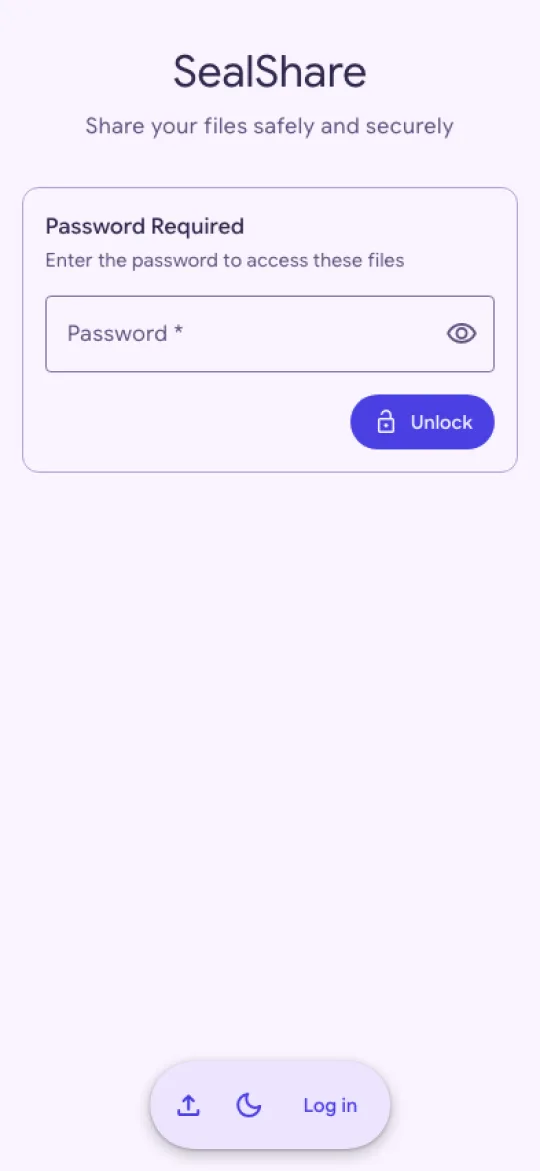
Type a password or generate one, as random characters or a passphrase. It is shown once more beside the new link, and it protects the share's own random key.
Encrypted in the browser with AES-256-GCM before upload, and stored only encrypted. With a share password the key is never stored as it is.
From 1 hour to 30 days, or never when the admin allows it.
Close a share after a set number of downloads.
Recipients download everything in one archive.
Expired shares and their files are deleted every hour, and unfinished uploads after 4 hours.
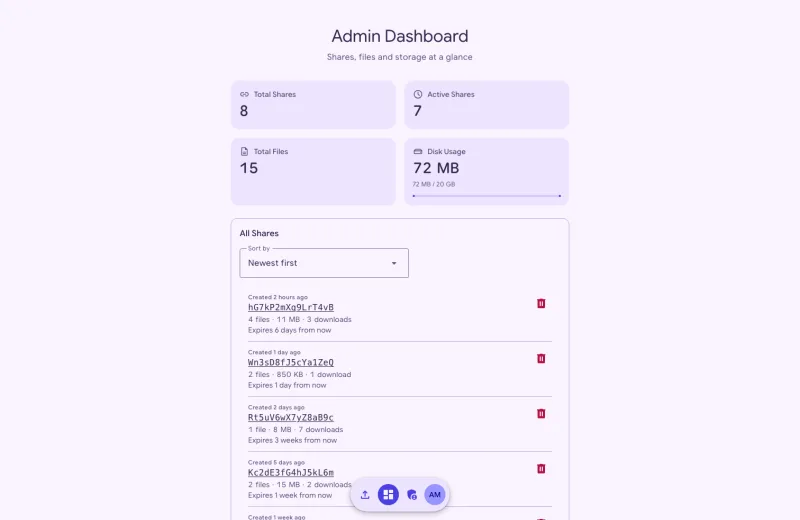
Every share with its size, downloads and expiry; storage use at a glance.
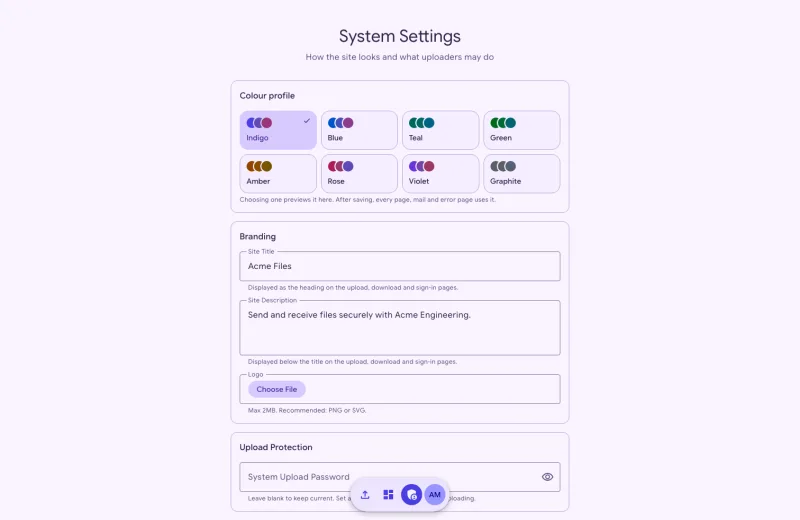
Maximum file and share size, files per share, storage quota, default expiry, and a password generator that is off, on request or prefilled.
Your logo, site title and description on the upload page, in one of eight colour profiles.
Optionally close the upload page to everyone who does not have the password.
Admins protect their accounts with authenticator app codes.
FrankenPHP with Laravel Octane and SQLite — no separate database. Uploads need HTTPS: turn on automatic TLS, or use your reverse proxy.
The same interface on a laptop and a phone, in light or dark.
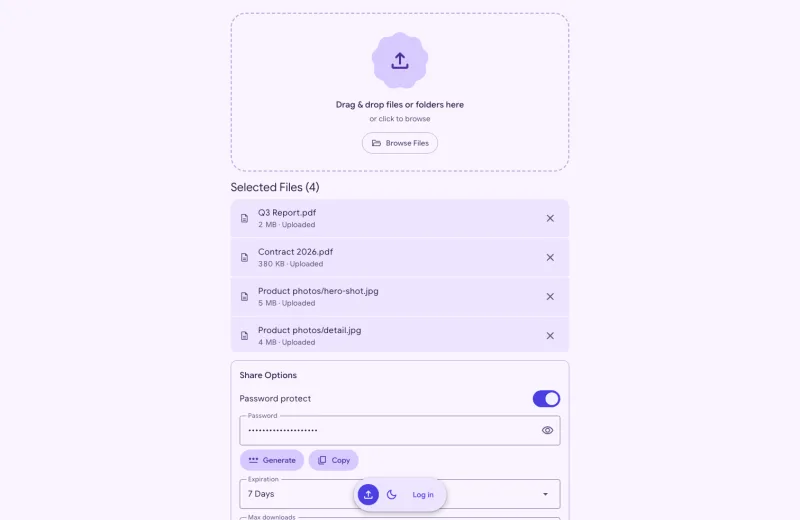
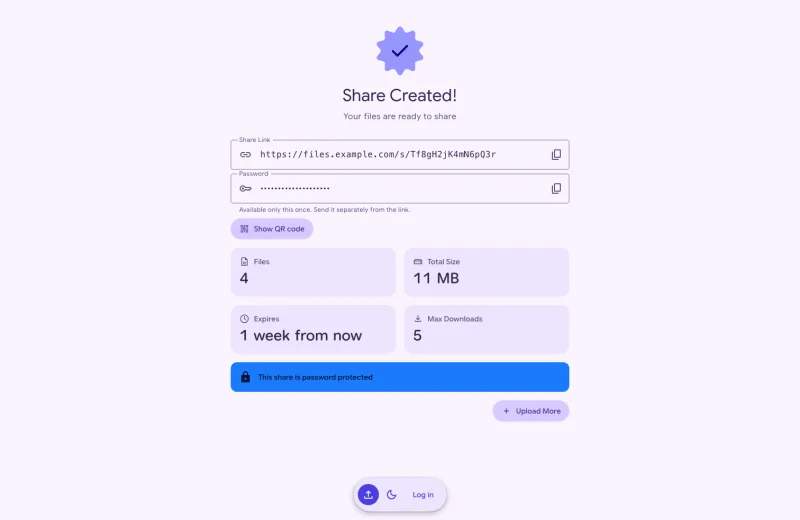
Hosted transfer services keep your files on their servers; other self-hosted tools do the same job in their own way. Every value below comes from the product's own website, documentation or repository.
Quick to use, but the files sit with the provider, under the provider's terms.
| Criterion | SealShare | WeTransfer | SwissTransfer | Dropbox Transfer | Google Drive links |
|---|---|---|---|---|---|
| Files stored | Your server | WeTransfer's cloud (EU or US) | Infomaniak, Switzerland | Dropbox's cloud (US by default) | Google's cloud |
| Operated by | You | WeTransfer | Infomaniak | Dropbox | |
| Recipient needs an account | No | No | No | No | No, with “Anyone with the link” |
| Password protection | Yes | Yes1 | Yes | Standard plan and up | — |
| Link expiry | Yes, 1 hour to 30 days, or never | Up to 3 or 7 days on Free1 | 1 to 30 days4 | 7 days; custom on Standard and up | Work or school accounts only |
| Download limit | Yes | — | Yes, 1 to 250 | — | — |
| Encryption at rest | Yes, AES-256-GCM | Yes, AES-256 | Yes, AES-256 | Yes, AES-256 | Yes, AES-256 |
| End-to-end encryption | No | Enterprise add-on | No | No | Higher Workspace editions |
| Folder upload | Yes | No, folders are flattened | Yes | Yes | Yes |
| Custom branding | Yes: logo, title, description | Ultimate plan and up | Through paid kDrive | Standard plan and up | — |
| Maximum file size | Set by you (no server cap) | 3 GB or 100 GB a month on Free1 | 50 GB per transfer | 2 GB on Basic (free) | 15 GB of free storage |
| Licence and cost | MIT, free | Free (non-commercial use); Starter USD 8/month2 | Free | Free; Plus EUR 11.99/month2 | Free; 100 GB CHF 2/month2 |
| QR code for the link | Yes | — | — | — | — |
Open-source apps you run yourself, like SealShare. Included are single-purpose tools that install with Docker and had a release in the last 12 months.
| Criterion | SealShare | Pingvin Share X | PsiTransfer | Gokapi | Erugo |
|---|---|---|---|---|---|
| Files stored | Your server | Your server or S3 | Your server | Your server or S3 | Your server |
| Operated by | You | You | You | You | You |
| Recipient needs an account | No | No | No | No | No |
| Password protection | Yes | Yes | Yes | Yes | Yes |
| Link expiry | Yes, 1 hour to 30 days, or never | Yes, up to a maximum you set | Yes, 1 hour to 8 weeks | Yes, after days or downloads | Yes, 7 days by default |
| Download limit | Yes | View limit only | One-time download only | Yes | Yes |
| Encryption at rest | Yes, AES-256-GCM | No | No | Optional | No |
| End-to-end encryption | No | No | No | Optional | No |
| Folder upload | Yes | Yes | No | No, files are listed singly3 | Yes, keeps structure |
| Custom branding | Yes: logo, title, description | Yes: logo, name, colours, CSS | Yes, by editing templates | Yes: logo, CSS, JavaScript | Yes: logo, colours, themes |
| Maximum file size | Set by you (no server cap) | Set by you (1 GB per share by default) | Set by you (no limit by default) | Set by you (100 GB by default) | Set by you (2 GB per share by default) |
| Licence and cost | MIT, free | BSD-2-Clause, free | BSD-2-Clause, free | AGPL-3.0, free | MIT, free |
| QR code for the link | Yes | Yes | Yes | Yes | No |
SealShare encrypts files in the browser before they are uploaded. With a share password the key is never stored as it is; without one it is kept in SealShare's database. A value marked “—” could not be confirmed from the product's own sources. Other products checked on 13 September 2026.
1 WeTransfer's pricing page and its help centre disagree. The pricing page lists password protection on every plan, expiry up to 7 days and up to 100 GB a month on Free; the help centre (May 2026) lists password protection under Ultimate, expiry up to 3 days, and up to 10 transfers or 3 GB in 30 days on Free.
2 The cheapest paid plan, at the price shown in Switzerland on the date above; prices differ by country. WeTransfer's Free plan is for individual, non-commercial use. Dropbox Plus has no passwords or branding for transfers; Google One 100 GB adds storage, not sharing features.
3 Gokapi's web interface lists the files of a dropped folder one by one; its command-line client uploads a folder as a ZIP file.
4 SwissTransfer's upload form offers 1, 3, 7, 15 or 30 days; Infomaniak's help articles describe 15 days, with an extension to 30 days offered to the sender by email.
All you need is a server with Docker, a domain name and HTTPS.
AUTO_HTTPS to get a Let's Encrypt certificate, or put a reverse proxy that terminates TLS in front.mkdir sealshare && cd sealshare
curl -O https://gitea.nonameweb.ch/noNameWEB/SealShare/raw/branch/main/docker-compose.example.yml
cp docker-compose.example.yml docker-compose.yml
# Generate an app key and paste it into docker-compose.yml
docker run --rm gitea.nonameweb.ch/nonameweb/sealshare:latest php artisan key:generate --show
# Edit docker-compose.yml — set APP_KEY and APP_URL
# Uploads need HTTPS: set AUTO_HTTPS and SERVER_NAME, or use a reverse proxy
# Then start:
docker compose up -dNo. The uploader's browser encrypts each file in chunks with AES-256-GCM before sending it, and SealShare stores the files only in encrypted form. But the key comes from your server, which checks every chunk and decrypts the files again for downloads — so the server can read them, which is why it matters that the server is yours.
For a share without a password the key is kept in SealShare's database. With a share password the key is wrapped with a key derived from that password (Argon2id) and never stored as it is, so the files cannot be decrypted without it.
Files are encrypted in the uploader's browser with WebCrypto, and browsers only offer WebCrypto over HTTPS or on localhost. Over plain HTTP the upload page says so and takes no files; downloads keep working.
Set AUTO_HTTPS: "true" and SERVER_NAME to get a Let's Encrypt certificate, with ports 80 and 443 reachable from the internet. Or put a reverse proxy that terminates TLS in front of SealShare.
Yes. Anyone who can open your upload page can upload and gets a link to send back to you. To keep the page for the people you choose, turn on the optional system password in the admin settings and give it to your customers.
As big as you allow. You set the maximum file size, share size and storage quota in the admin settings (100 MB, 2 GB and 20 GB out of the box); PHP's upload limits do not cap them.
Files go up in chunks of 16 MB (UPLOAD_CHUNK_SIZE_MB), so a reverse proxy only needs a request body limit a little above one chunk. Unfinished uploads count towards the quota and are deleted after 4 hours.
Nothing. SealShare is open source under the MIT licence. You pay only for the server you run it on.
You do. There is no SealShare cloud and no account with us: you install the Docker image on a server you run, and your files stay on it instead of passing through a transfer service.